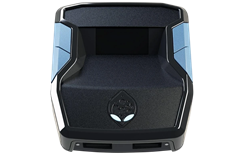
 ZENS
ZENSNets on the web loader.
Nets is the ScarZens NBA 2K27 script, built for Auto Green and shot timing, with Auto Tempo and stamina mods. It is the one script where the loader asks a question before flashing: your build's height, which it bakes into the flash so the timing values match your player.
Get Nets for NBA 2K27 at scarzens.comOpen the loader
What it does.
- Auto Green for both button and stick shooting, with a tunable rhythm window
- Auto Tempo, so the shot rhythm runs without you doing the motion
- Stamina hold while sprinting and dribbling, standing down during shots and dunks
- Dribble moves on the D-pad, timed layups and meter dunks, plus defence mirroring
The full feature list, pricing and reviews are on the Nets product page.
What the loader does for it.
- Step two of the flash is your build height, from 5'9" to 7'4". The default is 6'11". The loader remembers it per script on that browser.
- Five tuned values follow the height automatically. You can override any of them for a single flash, and Restore tuned values puts them back.
- The rest of the Fine Tuning panel is a readout of the script's menu, which lives on the Zen. Those rows are marked On Zen and are set on the OLED.
- Change your build's height in 2K27 and you should flash again at the new height. The old timing is baked into the previous flash.
Chrome or Edge on desktop, the Zen on its PC port, Zen Studio closed. The loader reads all eight slots and writes only the one you pick. Anything else is answered in the FAQ.
Guides on the store.
- NBA 2K27 setup guide
- Auto Green settings
- Auto Green not working
- Shot timing guide
- Best jumpshot settings
- Does the Cronus Zen work with NBA 2K27
Questions.
Why does the loader ask for my height?
Shot timing changes with a build's height. Nets bakes five timing values into the flash based on the height you set, so the script matches your player without you tuning it by hand.
I have two builds at different heights.
Flash the slot you use for each build at its own height. Each flash carries its own height, and the loader leaves the other slots alone.
Can I change Rhythm MS or Auto Green timing in the loader?
The tuned values that follow height can be overridden per flash. The menu settings that live on the Zen are set on its screen, and the loader shows them as On Zen.