 ZENS
ZENSScar-Rust on the web loader.
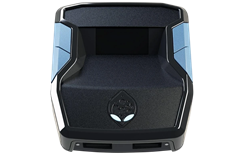
Scar-Rust is the ScarZens Rust Console script, built for plug-and-play anti-recoil with support for every weapon. There is no per-weapon file to load. Flash it once and pick the weapon on the Zen.
Get Scar-Rust for Rust Console at scarzens.comOpen the loader
What it does.
- Plug-and-play anti-recoil for Rust Console
- All weapon support, including 4x and holo patterns
- Wipe-ready: nothing to rebuild after a wipe, the script is already on the Zen
- 24/7 support and updates through the ScarZens Discord
The full feature list, pricing and reviews are on the Scar-Rust product page.
What the loader does for it.
- Scar-Rust has no build-height step. Connect, choose a slot, flash.
- Weapon and scope selection happen on the Zen's OLED menu after the flash, not in the loader.
- The loader keeps your other slots. If you run Scar-Rust alongside another ScarZens script, give each its own slot.
- A Zen firmware the loader does not support yet is reported before anything is written. Update firmware and flash again.
Chrome or Edge on desktop, the Zen on its PC port, Zen Studio closed. The loader reads all eight slots and writes only the one you pick. Anything else is answered in the FAQ.
Guides on the store.
- How Cronus Zen anti-recoil works in Rust
- Rust anti-recoil not working
- Wipe-day Cronus Zen setup
- 4x versus holo on Rust Console
Questions.
Do I need to reflash after a wipe?
No. The script is on the Zen, not in the game. A wipe resets your Rust progress, not the Zen's slots.
Where do I pick the weapon?
On the Zen's screen, in the script's menu, after the flash. The loader does not carry weapon selection.
Can I keep a Laser Elite slot and a Scar-Rust slot?
Yes. Flash each into its own slot. The loader reads all eight slots and only writes the one you choose.